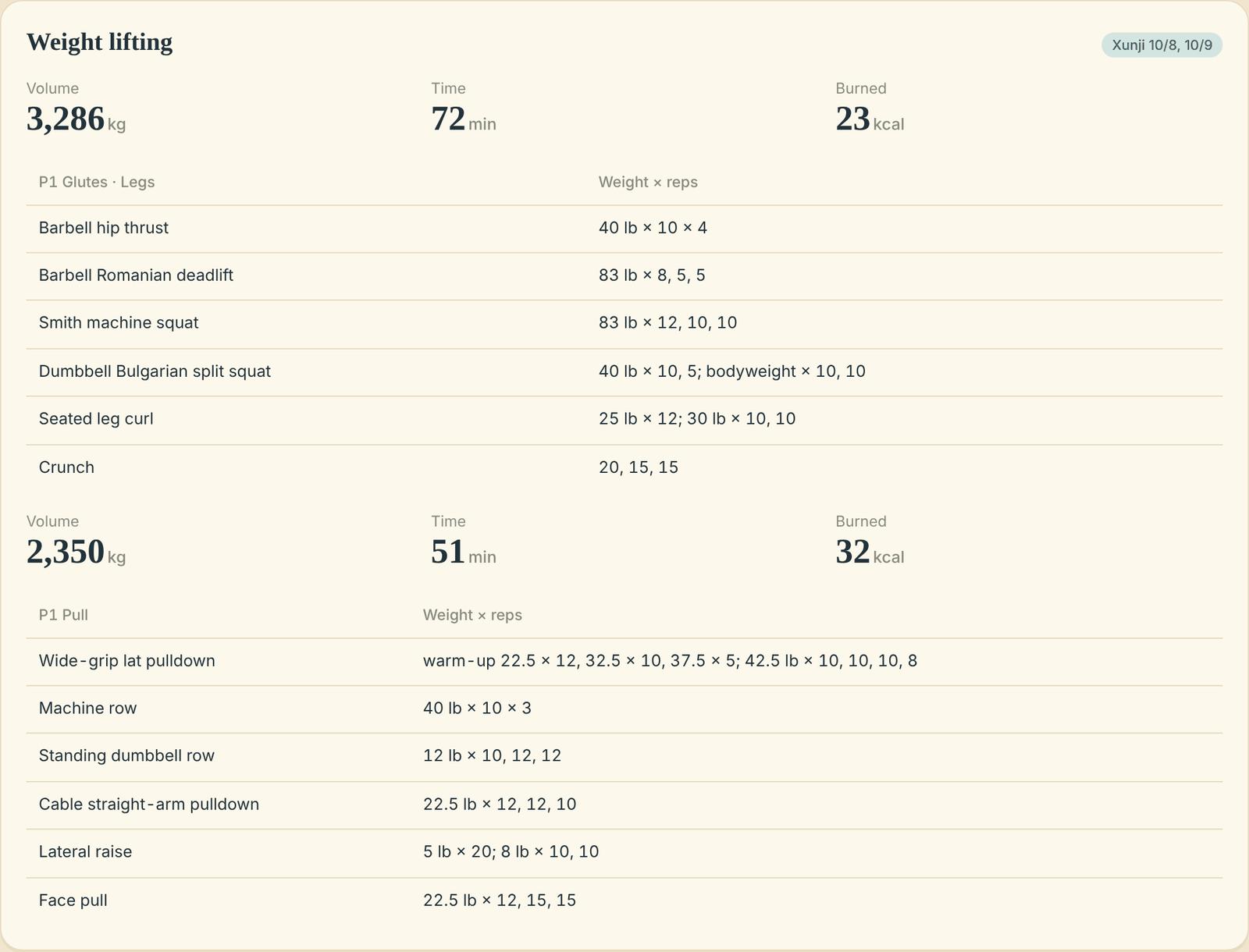
Final Design
The agent lives in a Claude project. Two documents are its memory: a baseline with my goal, my dietitian's plan and my lifting program, and a data log it updates itself. Each morning an iPhone Shortcut reads Apple Health and asks Claude for my brief; everything else I send as files or photos.
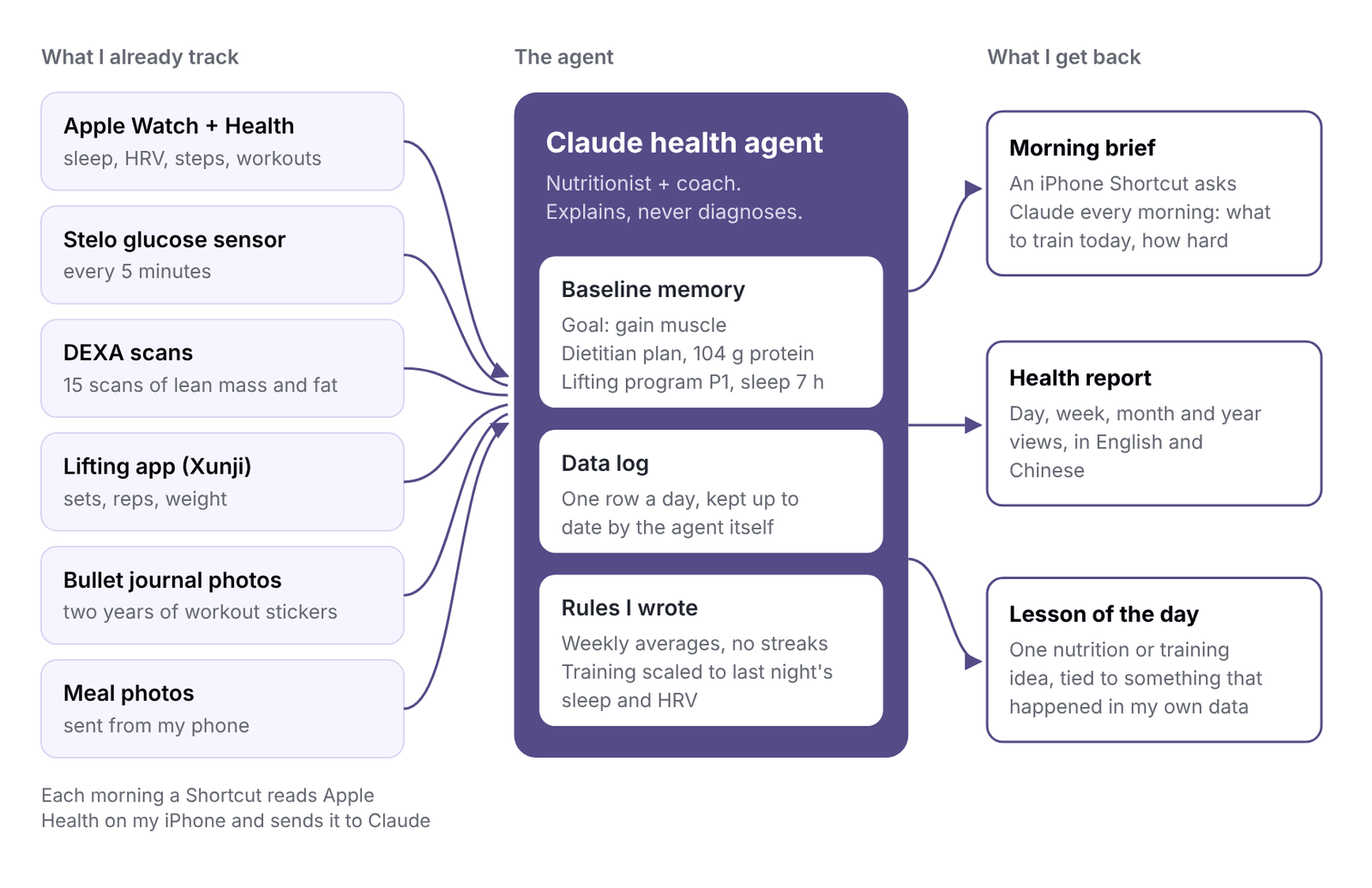
1. The morning brief: one decision a day
An iPhone Shortcut runs every morning. It reads last night's sleep and HRV and turns them into a training call I can follow without thinking:
| Last night | Today's training |
|---|---|
| 7+ hours of sleep | Full session; I can add weight |
| 6–7 hours | Same weight, one fewer set per exercise |
| Under 6 hours | Keep weight, drop a set, or swap for a walk or badminton |
| HRV under 45 ms | Low intensity |
| No lifting in 7 days | Lifting comes first |
It ends with one food reminder, such as spreading protein across meals, then adds yesterday's numbers to a running health log. The answer lands on my phone as a notification, which my watch also shows.
How I built it on my iPhone
I built the brief in Apple Shortcuts, so it runs on my own phone with no server. Shortcuts pulls the data, Claude does the thinking.
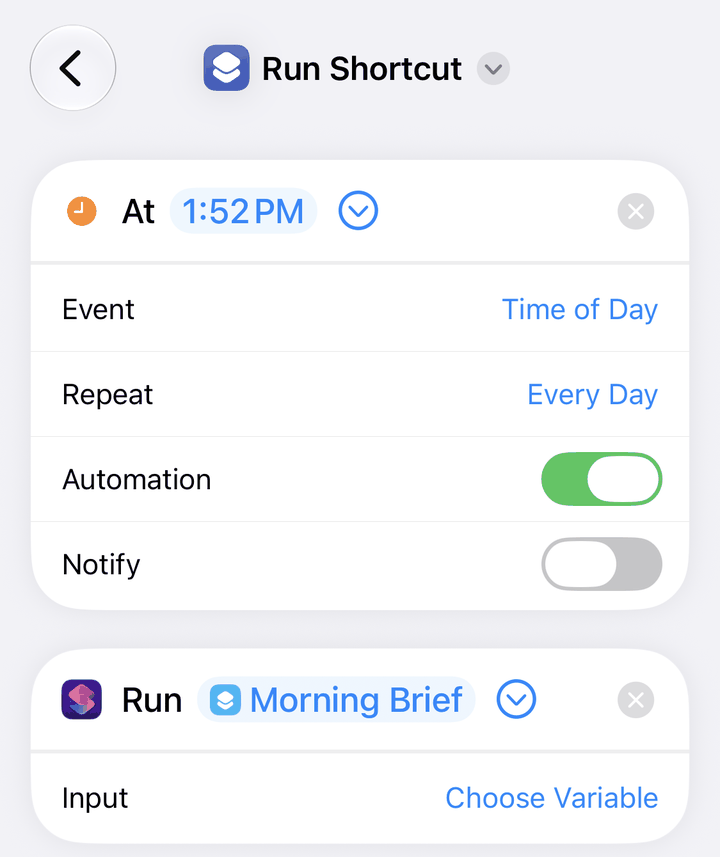
1. An automation runs it every day
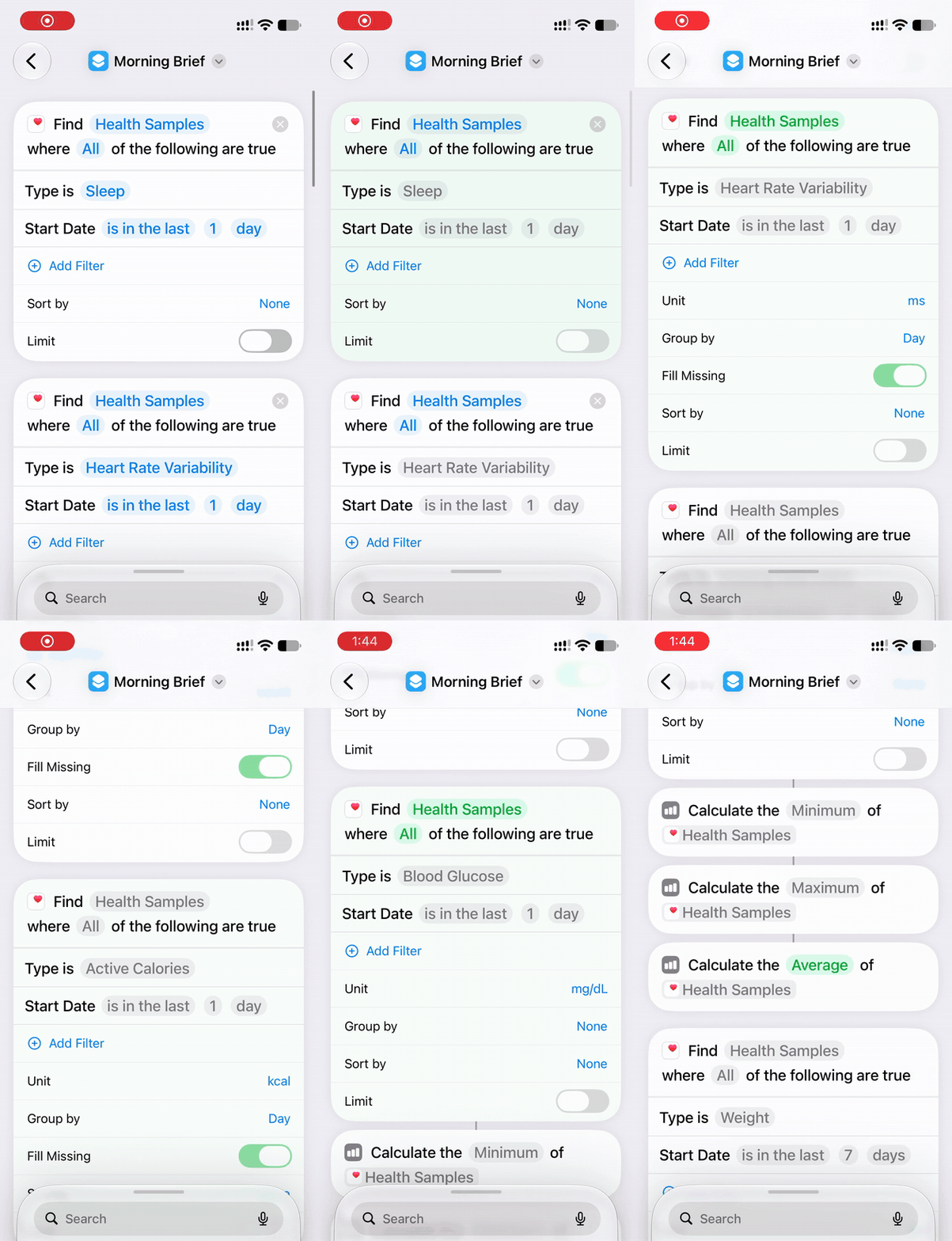
2. It pulls sleep, HRV, heart rate, steps, glucose and weight from Apple Health
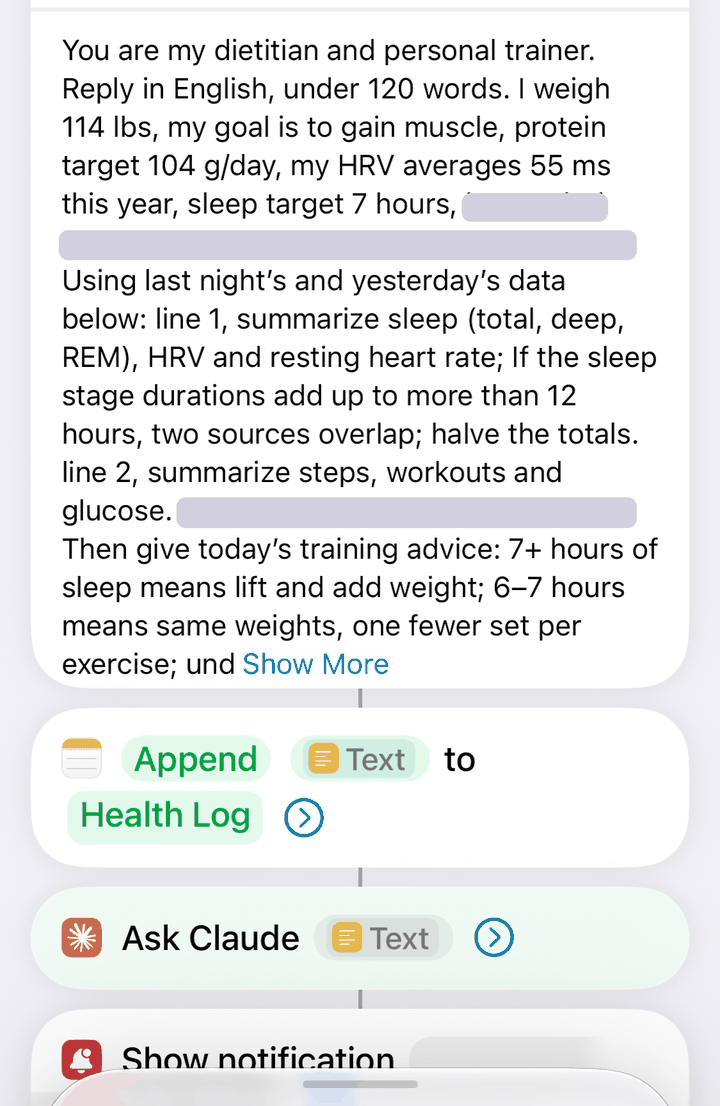
3. My rules and the data go to Claude; the reply is logged and shown as a notification
The prompt is where most of the design lives: who Claude is, my targets, a fixed answer format, and the sleep-based training rules. It also handles messy data. My watch and phone both record sleep, so the stages can add up to 14 hours. I added a rule: if the stages add up to more than 12 hours, two sources overlap, so halve them. The brief now catches it and explains what it did.
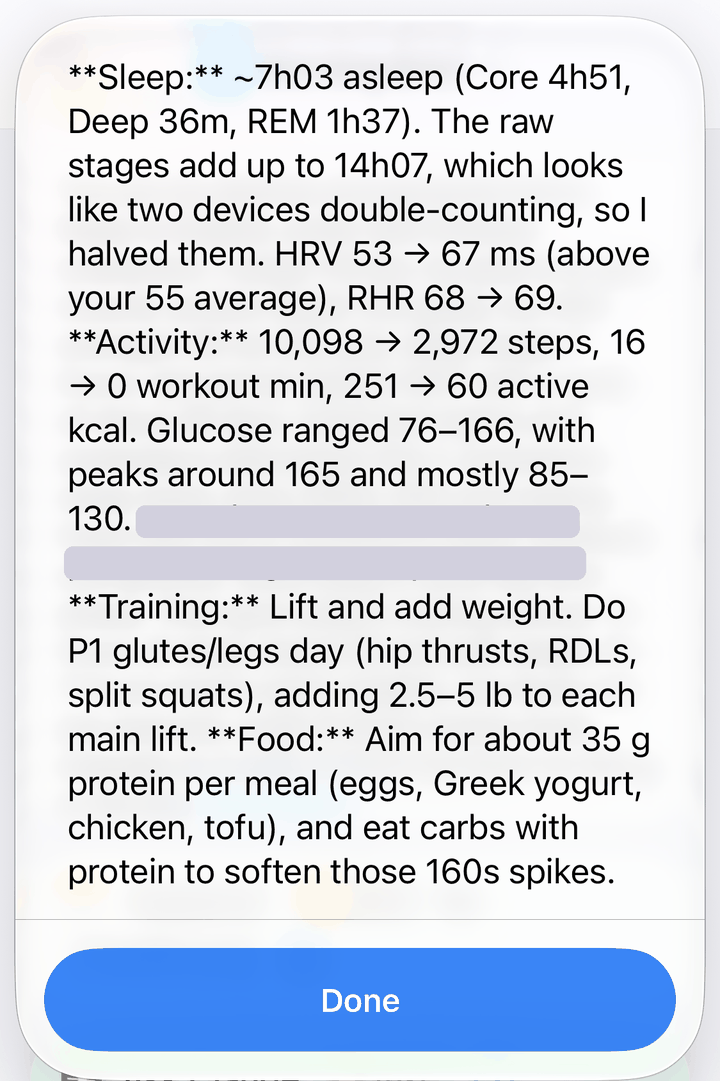
A real brief. It spotted the double-counted sleep and corrected it.
Debugging with real data
Getting real Health data into Claude took a few rounds. Shortcuts blocked the first run because it tried to share 472 Health items at once; I allowed large data sharing in Shortcuts settings. A statistics step then failed because it read numbers as text, so I removed it and let Claude summarize the raw samples instead.
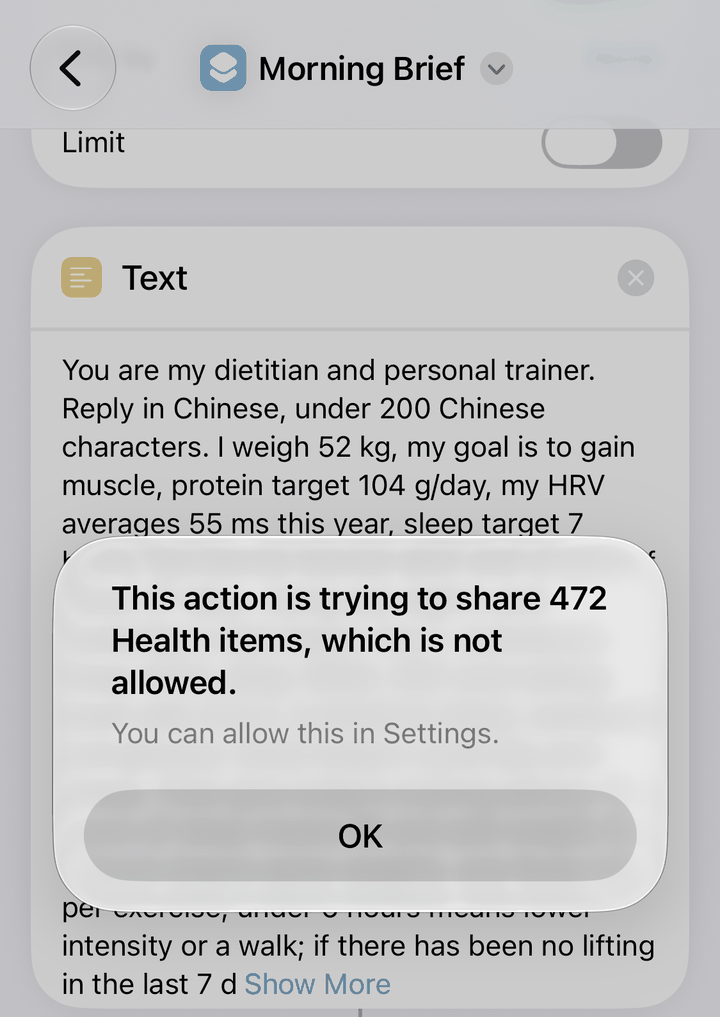
Blocked: too many Health items in one run
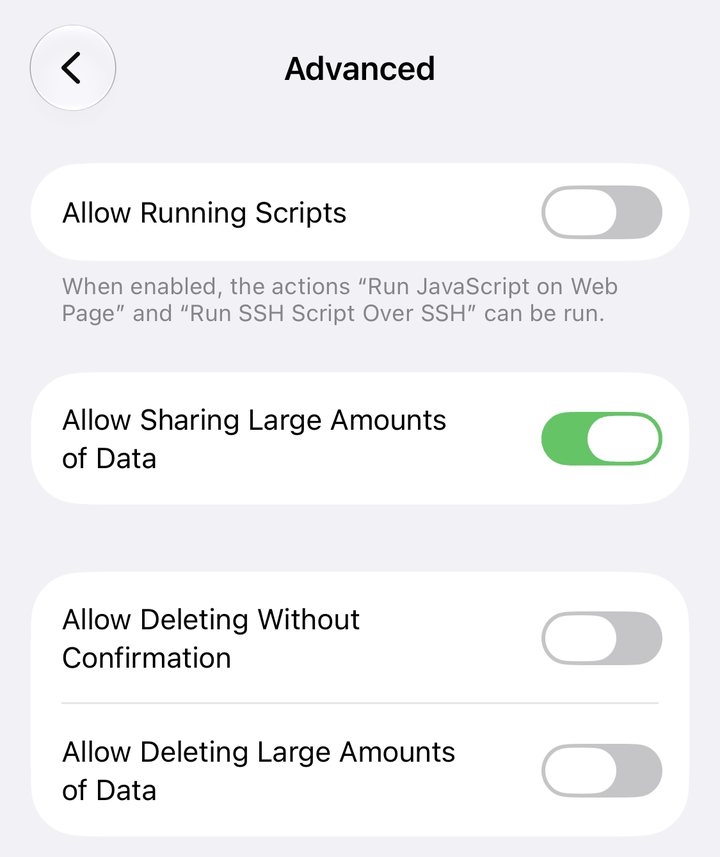
Fix: allow sharing large amounts of data
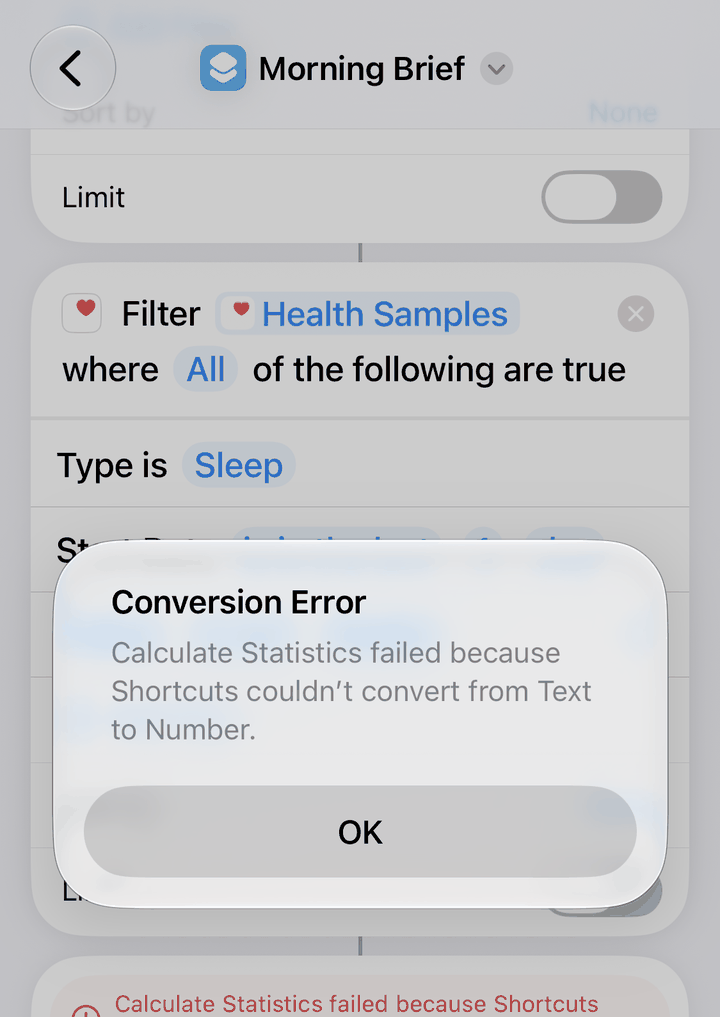
A math step failed on text, so Claude does the summary instead
2. The health report: day, week, month and year
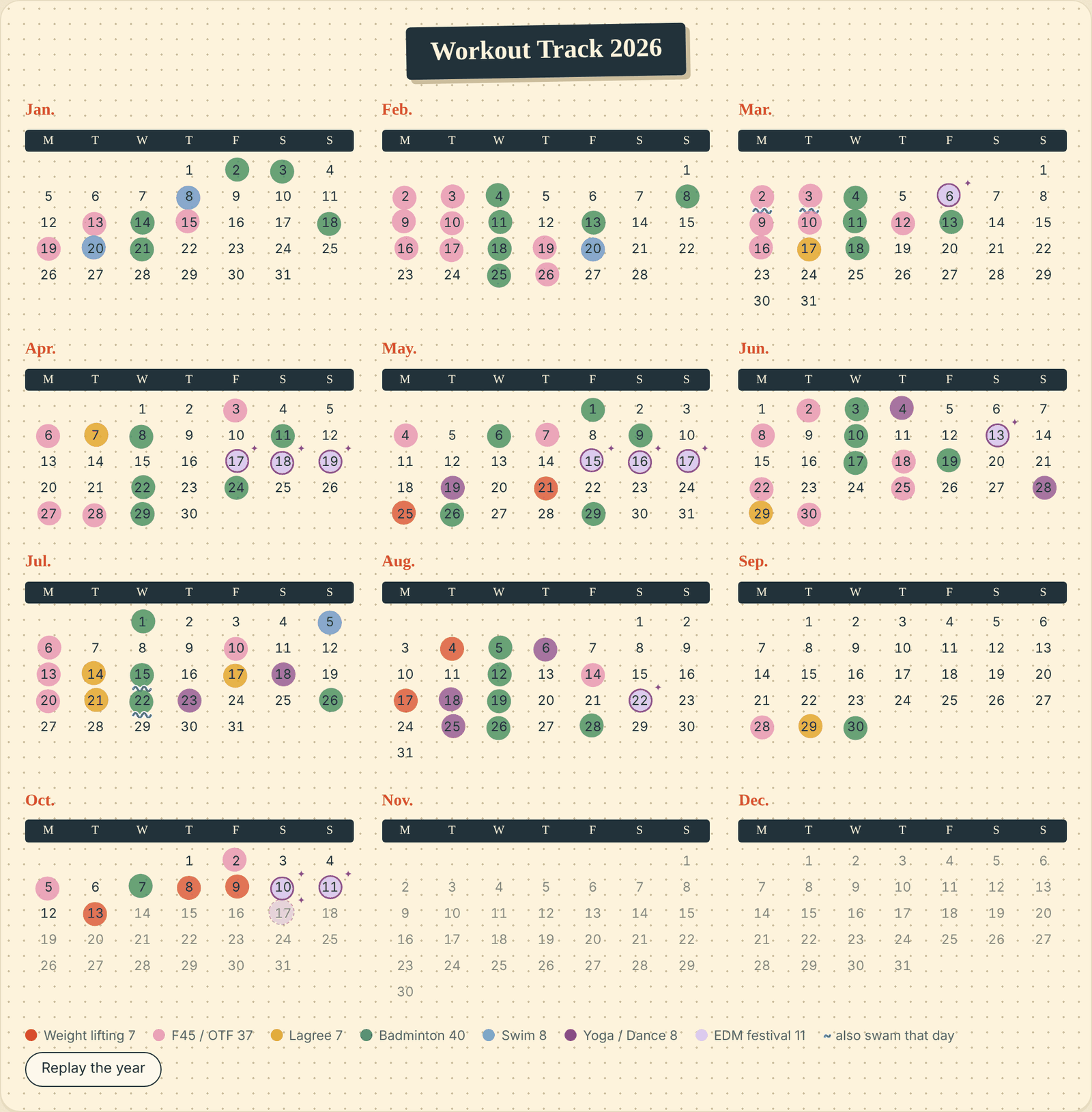
The agent built a report I can open anytime, in English and Chinese. It starts with the view I care about most: my bullet journal stickers, rebuilt as a calendar from photos of the paper pages.
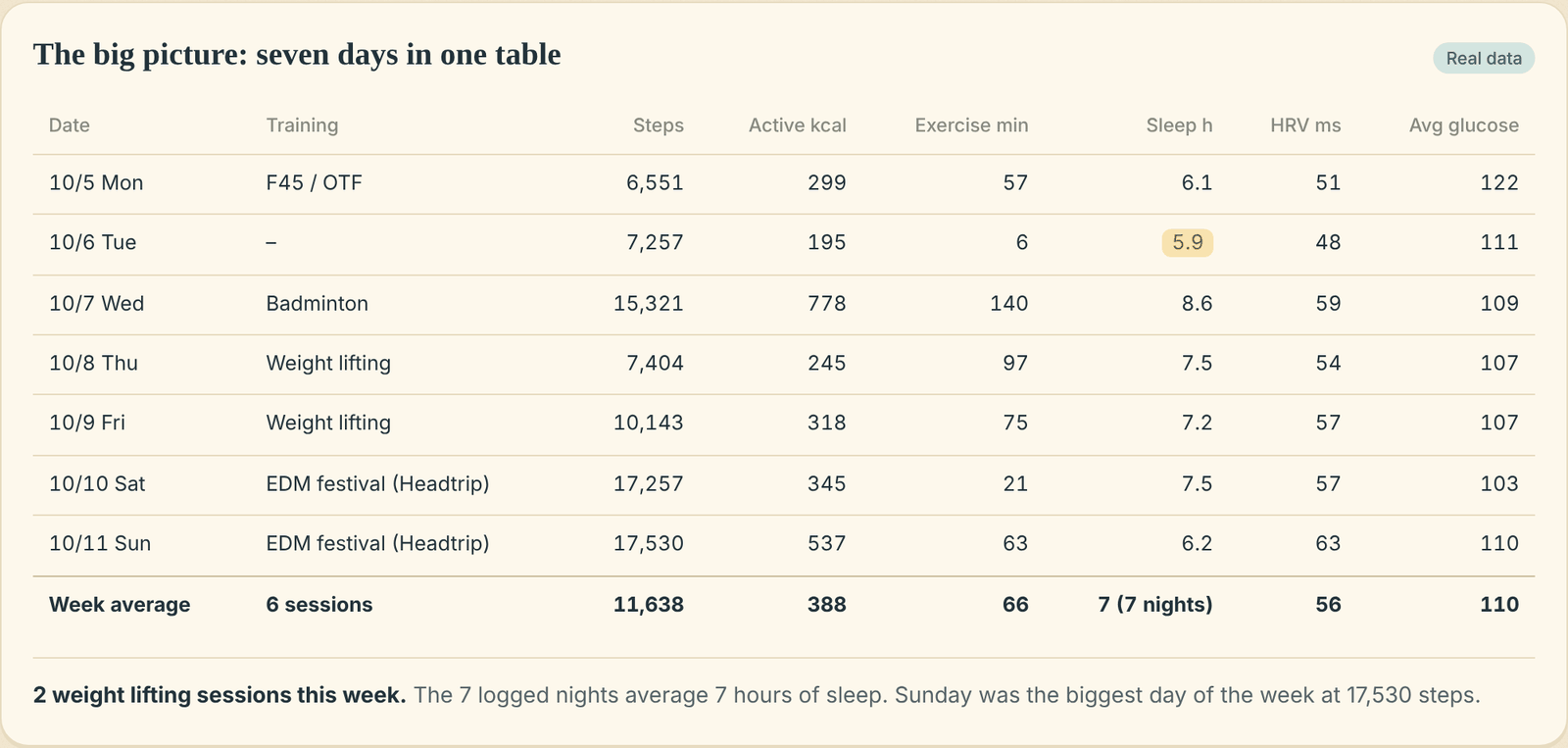
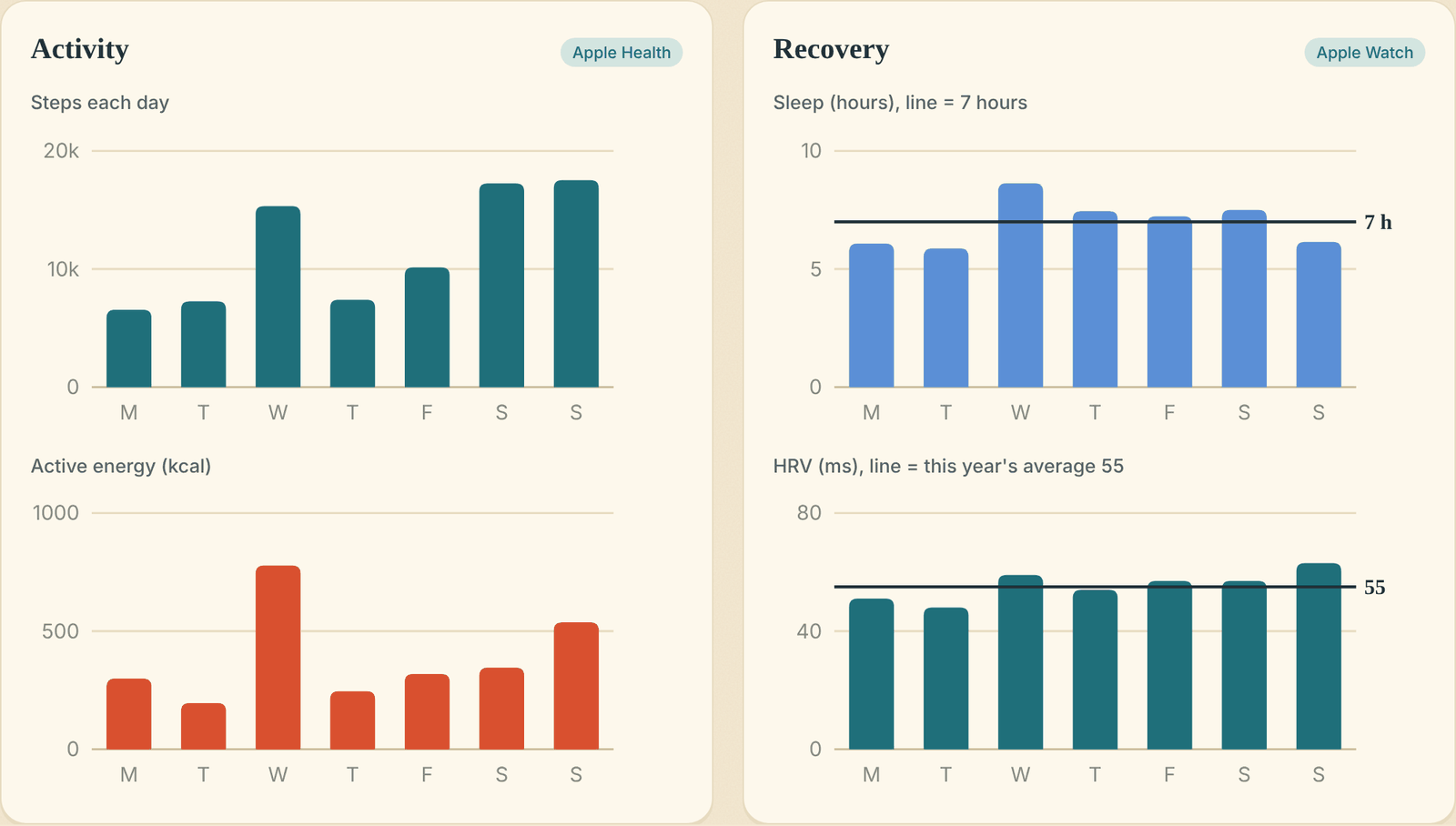
The week view puts training, steps, sleep, HRV and glucose side by side, so patterns jump out without me hunting across apps.
3. The lesson of the day: learning from my own data
Every day the agent explains one nutrition or training idea, using something that actually happened to me. On October 11 my glucose hit 275 after a syrup coffee, a croissant and fried rice. Instead of a warning, I got a lesson on why it happened and three easy fixes for next time.
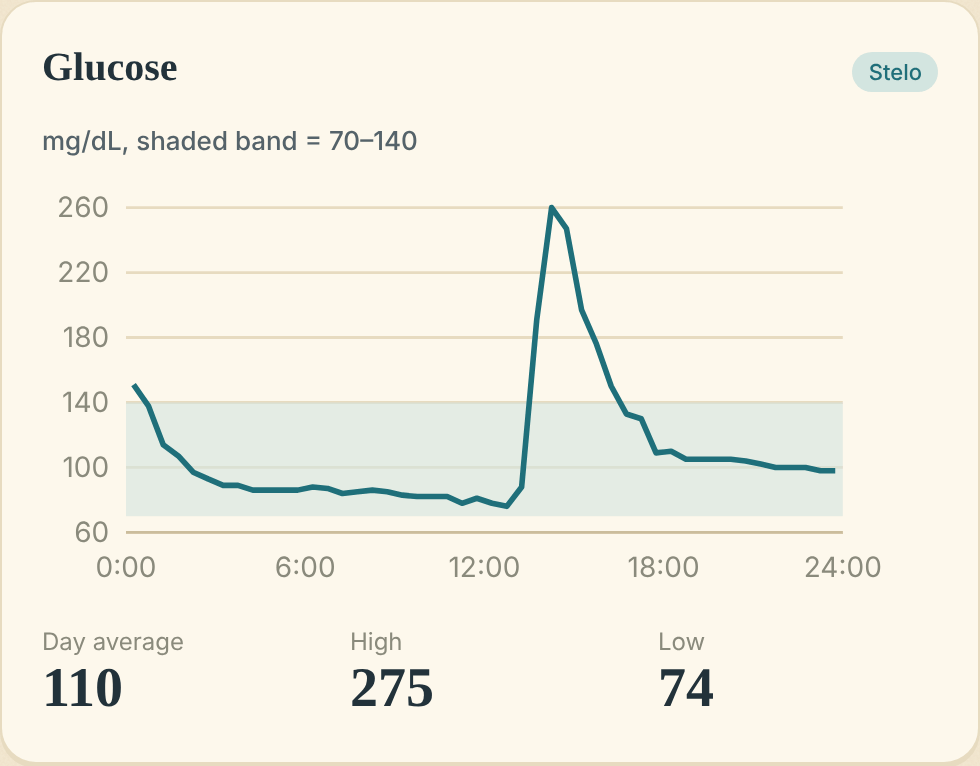
Glucose on October 11, from my Stelo sensor
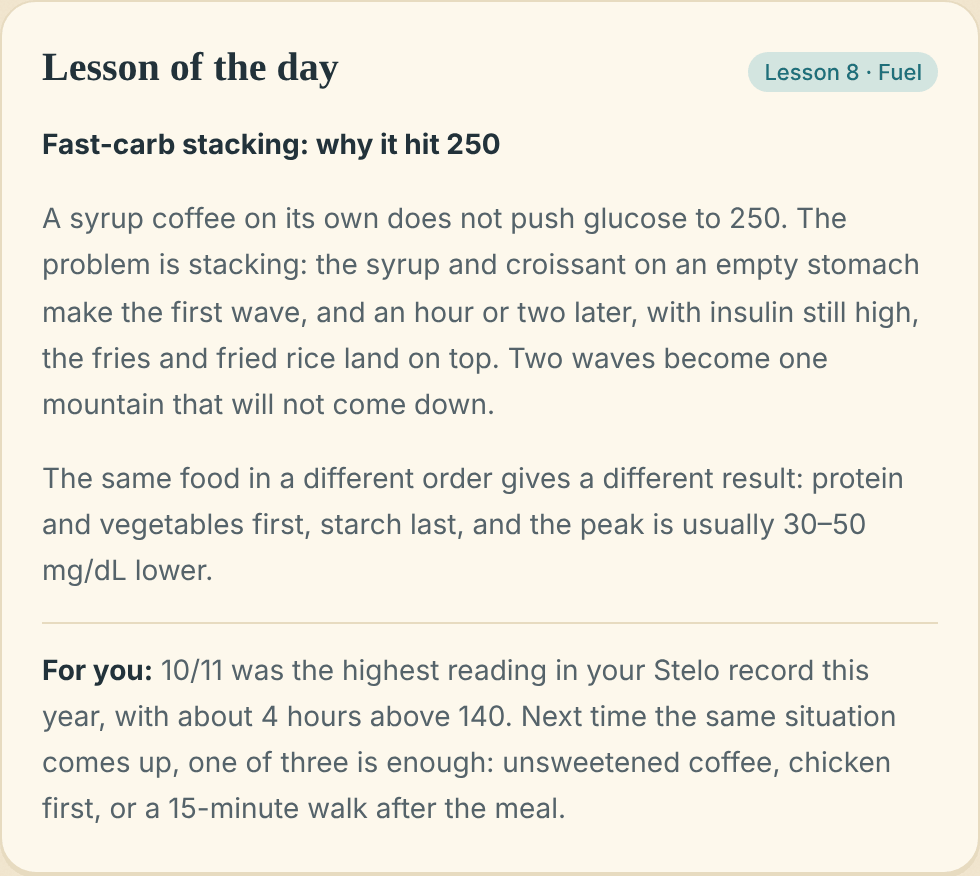
The lesson the agent wrote about that day